3RootApps

For Android 8.0 and newer

Never miss a sunset or sunrise.

Solar Alerts reminds you before or after every sunset and sunrise, so you never miss golden light, an evening walk, or the moment the sun goes down.

No internet permission needed. No ads, no accounts, no tracking.

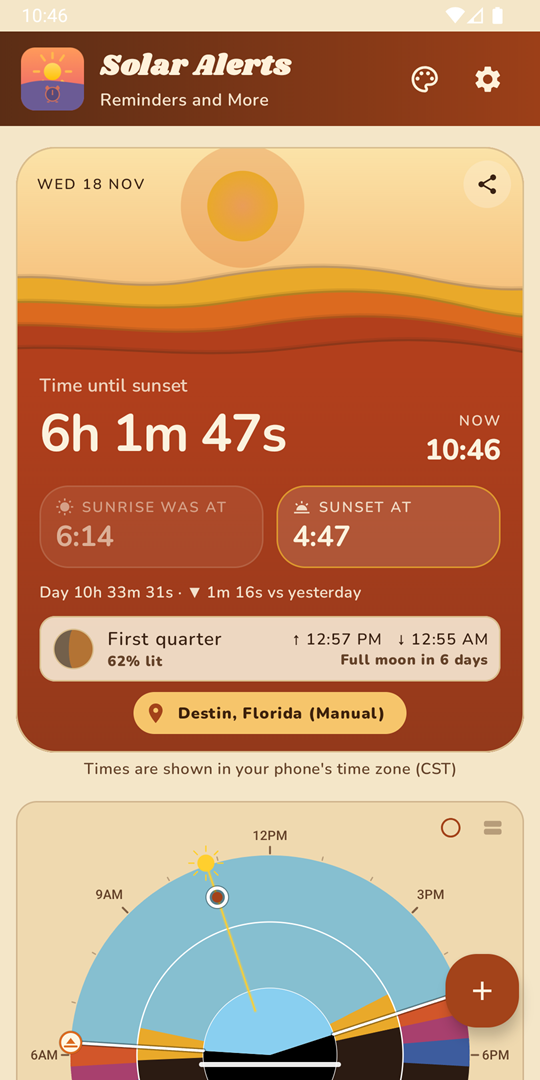
Solar Alerts home screen: live countdown card to the next sunset or sunrise, with the Your Alerts list below
From first light to last

Every phase of the day, to the second.

Solar Alerts tracks the whole arc of the sun for where you are, from astronomical twilight through golden hour to solar noon, and taps you on the shoulder before sunrise or sunset.

Features

Built around the sun.

Set alerts your way

  • Before, at or after sunset or sunrise: drag your alert along the sun timeline in 15-minute steps, or set your own hours and minutes (up to 999 minutes)
  • Every day, weekdays, weekends, days you pick, or just once
  • A sun timeline and a live notification preview show exactly when and how it goes off
  • Every alert setting on one page
  • Optional labels like "Evening walk" or "Photography time"
  • Notifications count down live; snooze right from the notification
  • Precise alarms that fire on time, even when your phone is idle
  • Alerts, settings and location carry over with Android backup and to a new phone

Know the sun

  • Live countdown to the next sunset or sunrise
  • Today's and tomorrow's sunrise and sunset, to the second
  • Day length and how it compares to yesterday
  • Solar noon, golden hour, blue hour, and civil, nautical and astronomical twilight
  • Handles midnight sun and polar night in the far north and south

Solar events & celestial calendar

  • Solar Clock and timeline views of where the sun is right now
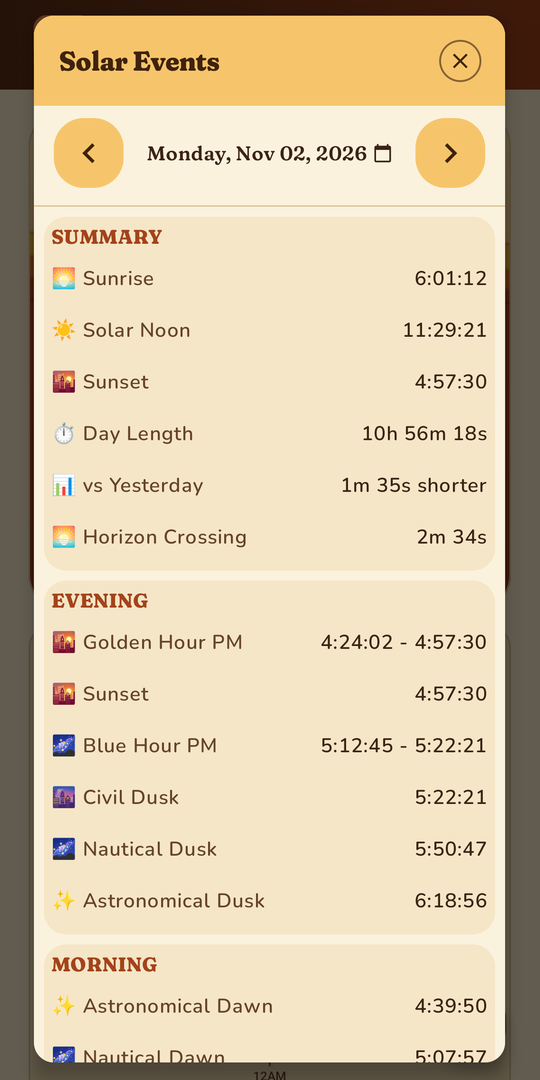
  • Browse every solar event for any date
  • Upcoming celestial events and meteor showers
  • Verified dates for eclipses, meteor shower peaks, planet oppositions, equinoxes and solstices through 2031
  • Moon phase and the next full and new moon

Also: six themes (Solar Classic, Kodachrome ’70s, Ukiyo-e Woodblock, Mission Control, Observatory Brass and Riso Almanac), each with a day and a night look, plus countdown card layouts from Sun Arc to Departure Board that you can preview live before saving; the cards that draw the sun open with a quick sky timelapse from the last sunrise or sunset to now. And 12-hour or 24-hour time, share today's sunset time with friends, rate or share the app from the top of Settings, and built-in help for every setting.
Privacy

Wherever you are. Privately.

Sun times are calculated on your device. Your location is used for that and nothing else.

  • On-deviceYour location never leaves your phone.
  • No accountsNothing to sign up for, nothing to log in to.
  • No ads, no trackingNo advertising ID, no analytics SDKs.
  • No internet permissionThe app never asks for internet access. Everything works offline.
  • Uses your GPS location, or enter a place manually
  • For a place you picked by hand, times are shown in your phone's time zone, and the app says so
  • Follow Me mode keeps times accurate as you travel
  • Adjusts automatically for daylight saving time

Read the full Privacy Policy.

Screenshots

A closer look.

Home screen with a live countdown card to the next sunset or sunrise and the Your Alerts list
HomeLive countdown, today's sun times and your alerts.
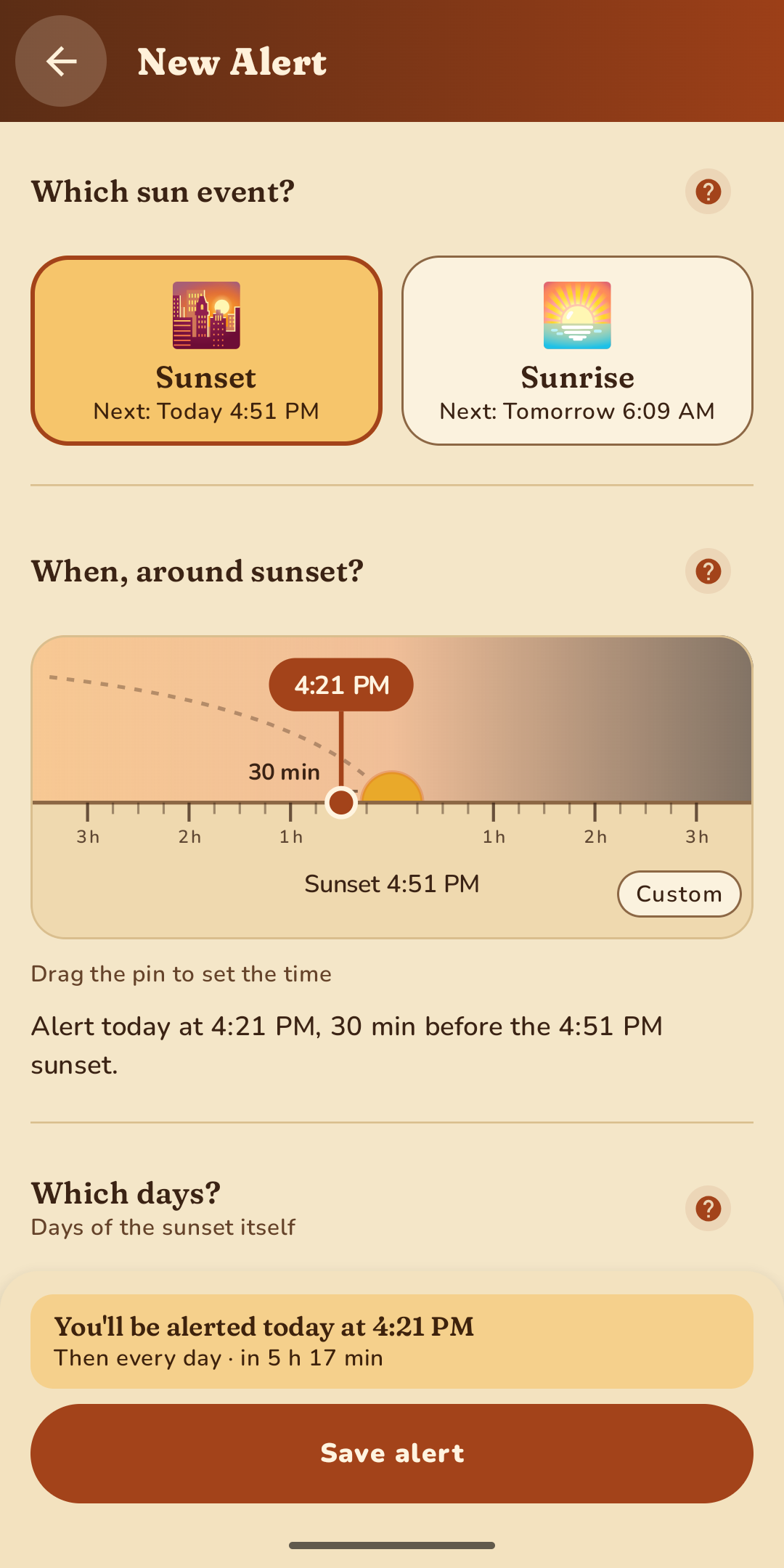
Alert editor: sunset or sunrise, then a sun timeline with a draggable pin at the alert time, tick marks every 15 minutes up to 3 hours each side, and a small Custom button
Edit an alertDrag the pin along the sun timeline to set the time.
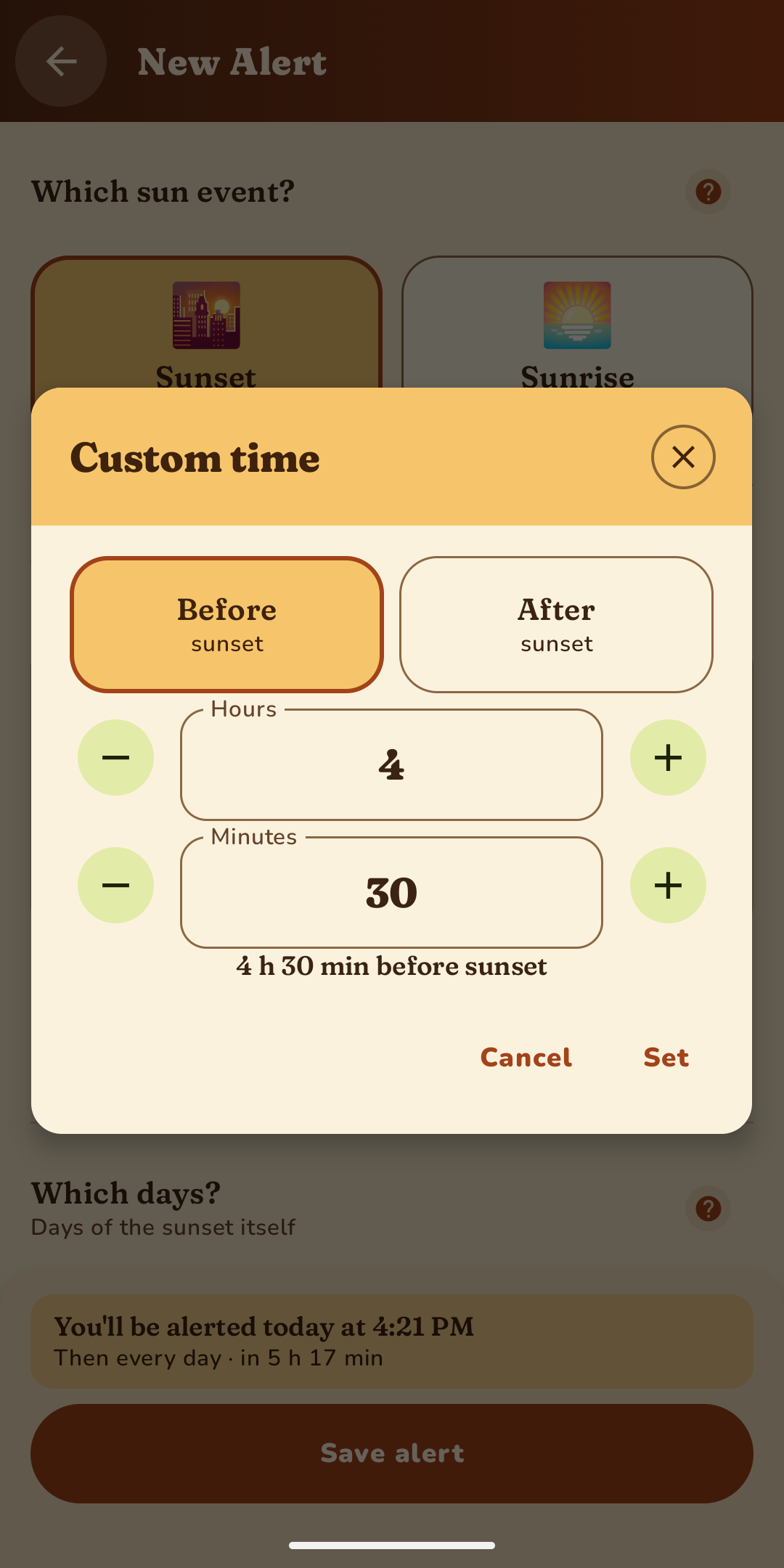
Custom time popup: before or after sunset, then hours and minutes, each with minus and plus buttons, showing 4 h 30 min before sunset
Custom timeAny time up to 999 minutes, with − and + for hours and minutes.
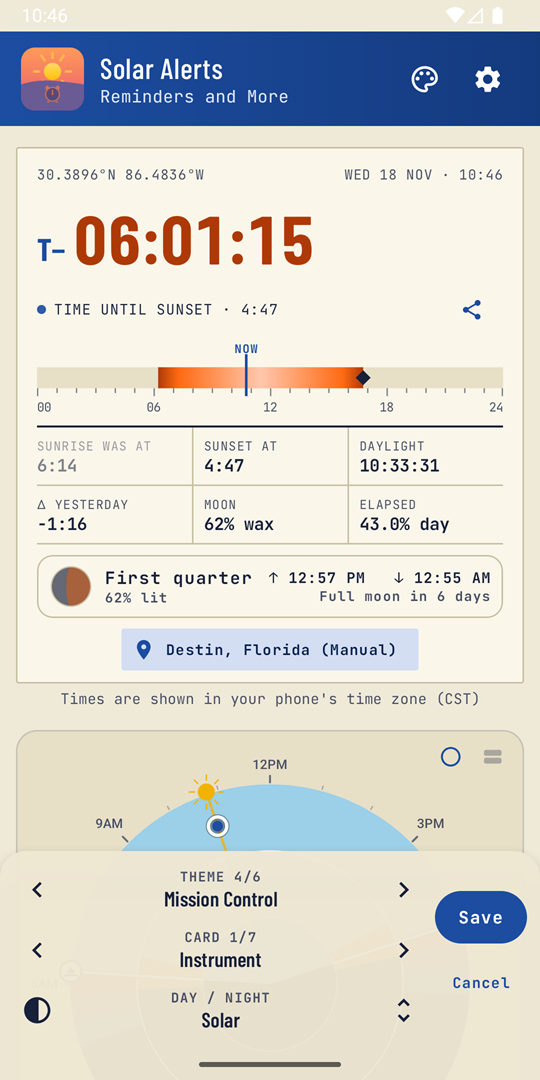
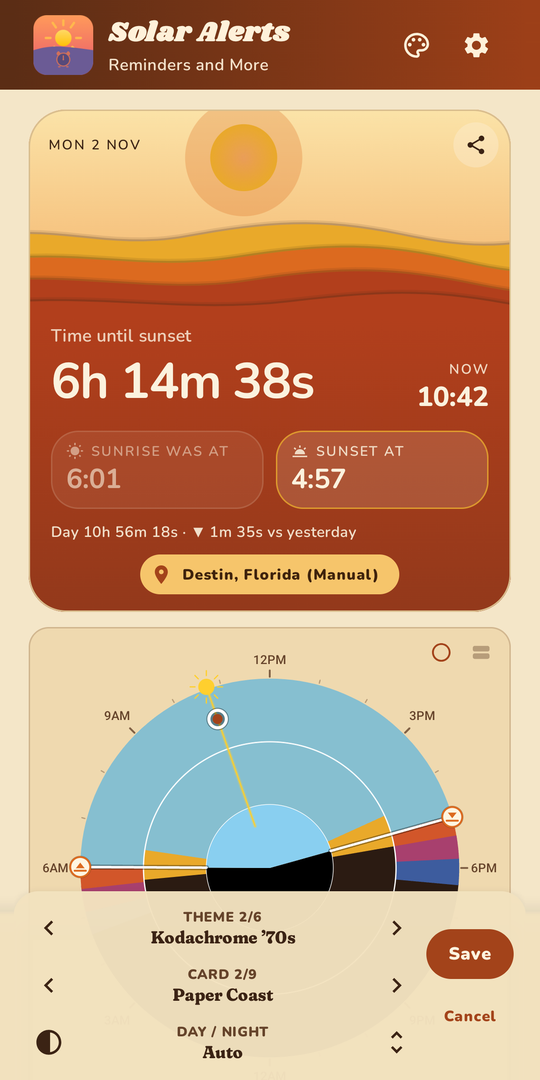
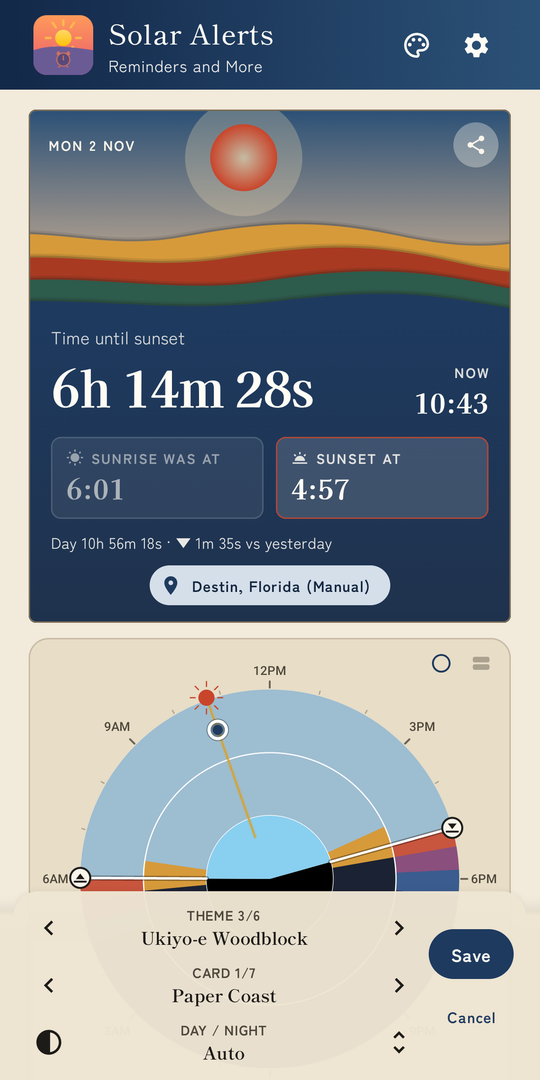
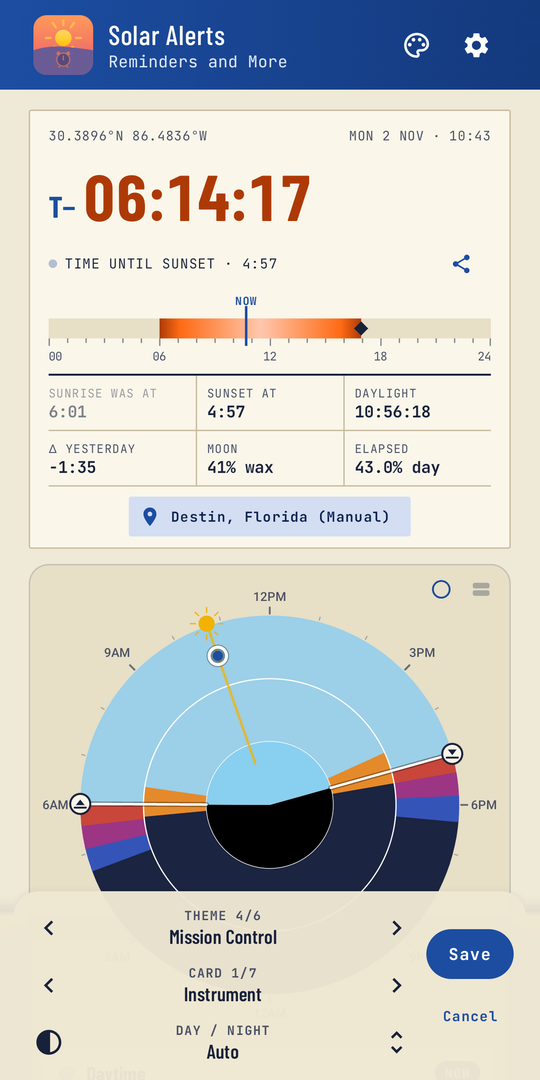
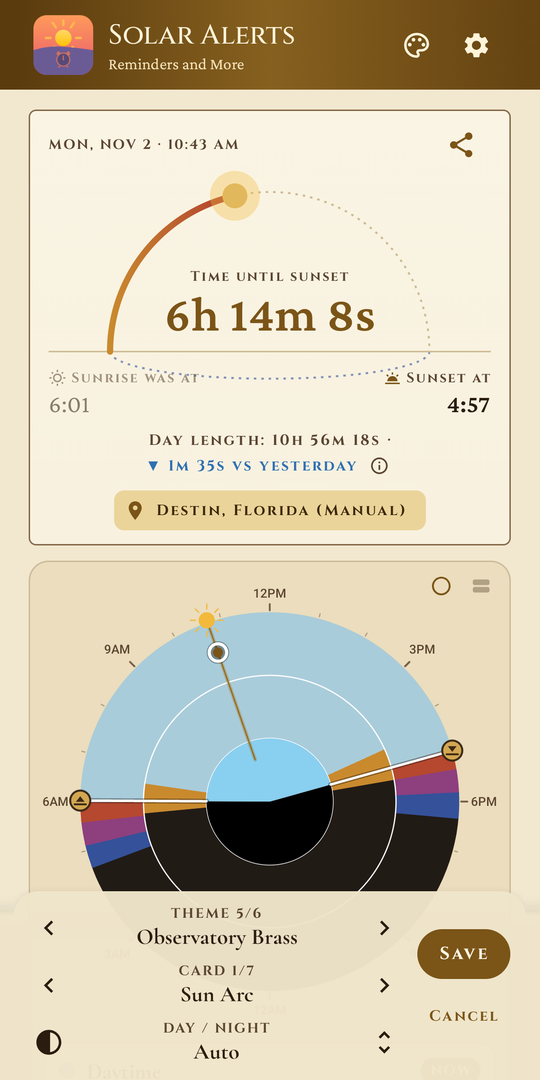
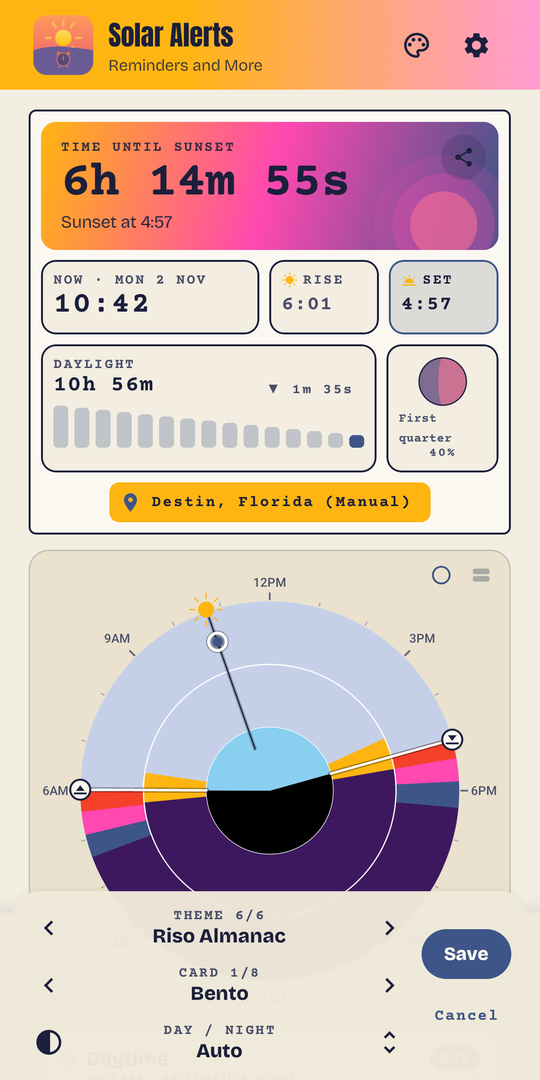
Theme browser: the app previewed live in a theme, with controls to change the theme, the card layout and day or night mode, and Save and Cancel buttons
ThemesFlip through themes and card layouts live.
Solar Events sheet listing sunrise, solar noon, sunset, day length, golden hour, blue hour and twilight times for a date
Solar EventsEvery solar event for any date.
Themes

Six looks. One sun.

Each theme restyles the whole app, with its own fonts, colours and card layouts, and switches between day and night by itself. Open the theme browser from the palette button on the home screen to try them live before you save.

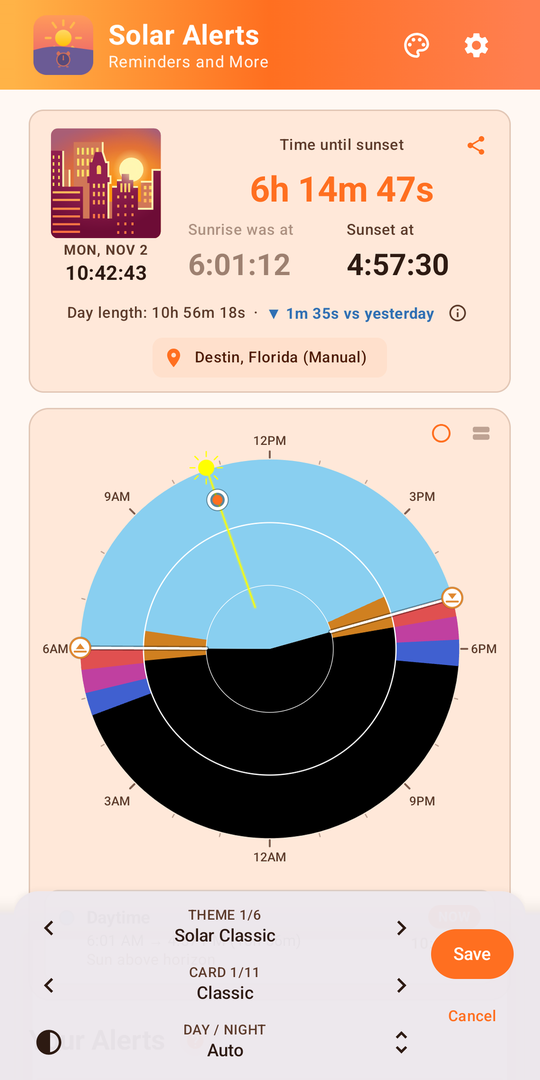
Solar Alerts home screen in the Solar Classic theme, with the theme browser open
Solar ClassicThe original warm sunset look.
Solar Alerts home screen in the Kodachrome ’70s theme, with the theme browser open
Kodachrome ’70sPaper-cut sunset waves in retro film colours.
Solar Alerts home screen in the Ukiyo-e Woodblock theme, with the theme browser open
Ukiyo-e WoodblockIndigo sea and a vermilion sun, like a woodblock print.
Solar Alerts home screen in the Mission Control theme, with the theme browser open
Mission ControlA T-minus countdown and instrument readouts.
Solar Alerts home screen in the Observatory Brass theme, with the theme browser open
Observatory BrassEngraved type and a brass sun arc.
Solar Alerts home screen in the Riso Almanac theme, with the theme browser open
Riso AlmanacBold risograph blocks and typewriter type.
Release notes

What's new in 1.2.82

1.2.82

Latest
  • New home on the web: Share This App and the Privacy Policy link in Settings now open the Solar Alerts pages on 3root.com, the developer's own site.

1.2.81

  • Rate this app: Settings now starts with a Rate & Share section. Tap Rate This App to leave a rating or review on Google Play, or Share This App to send it to a friend.
  • Time zone note: when you pick a place by hand, the home screen and Settings now say that times are shown in your phone's time zone, so a far-away city's sunrise and sunset make sense.
  • Fixed: headings in What's New now show in bold instead of with stray symbols around them.
  • Thank you to everyone whose reports led to all three changes.

1.2.80

  • Drag to set the time: in the alert editor, drag the pin on the sun picture (or tap the picture) to choose when you're alerted. It snaps to marks every 15 minutes, up to 3 hours before or after sunrise or sunset. Left of the sun is before, right is after, and on the sun is right at it.
  • Custom time: for any other time, tap the small Custom button in the corner of the sun picture, choose before or after, and set hours and minutes with − and +.
  • Simpler editor: every setting is on one page. Guided mode, the Before / At / After buttons and the quick-time buttons are gone.

1.2.78

  • Sky timelapse: when the app opens, the Sun Arc, Horizon Glass, Daylight Ring, Outrun and Paper Coast cards fast-forward the sky from the last sunrise or sunset to right now, rushing at first and then easing into place. At night the sun sets and the moon takes over. Tap the card to skip it; it stays off when animations are turned off or Battery Saver is on.
  • Moon on every card: every home card, in every theme, shows the moon's real phase, how much is lit, the next moonrise and moonset, and the days until the next full or new moon. Tap it for full sun and moon details.
  • Fixed: Bento, Instrument and Paper Coast could show the moon at the opposite point in its cycle; they now match the real sky.

1.2.77

  • Clock changes: on nights when clocks go back or forward, the countdown, its progress bar and the editor's "you'll be alerted in…" now count real hours instead of being an hour off.
  • Faster start: settings load behind the splash screen, so the app opens straight into your theme without a pause.
  • Backup and new phones: your alerts, settings and location come along when Android backs up the app or moves it to a new phone; alerts are set up again the first time you open the app.

1.2.76

  • Themes: six looks for the whole app, each with a day and a night version, plus new countdown card layouts. Tap the palette icon on Home to flip through them live, then Save.
  • New alert editor: every setting on one page, or Guided mode with one question at a time. A sun timeline shows your alert against sunrise or sunset, and a preview shows exactly what the notification will say.
  • Quick times from 10 minutes to 2 hours, or set your own hours and minutes.
  • Live countdown in alerts: notifications count down to sunrise or sunset second by second.
  • Pausing or deleting an alert now clears anything it already had scheduled, and early-morning alerts set many hours before sunrise go off on the right evening.

1.2.59

  • The Solar Clock marks sunrise and sunset, with time labels every 3 hours; tap it for details.
  • Home shows today's date, the time and how much daylight you gained or lost since yesterday.
  • Full-screen location search with suggestions.
  • Countdown no longer an hour off on clock-change nights.

1.2.57

  • Far north and far south: during midnight sun or polar night, the app now says there is no sunrise or sunset today instead of showing times from weeks away, and no longer schedules alerts from the wrong day.
  • Equinox and solstice times for years beyond the built-in calendar are now accurate to about a minute and shown in your time zone.

Catch tonight's sunset.

Requires Android 8.0 or newer.